IT Lab
The October Lab (Linux, GLBP, IPSEC, DMVPN, NAT, eBGP, OSPF, EIGRP)
Information Technology Lab using VMWare Workstation Pro, GNS3 server, and Cisco CML.
Big Picture
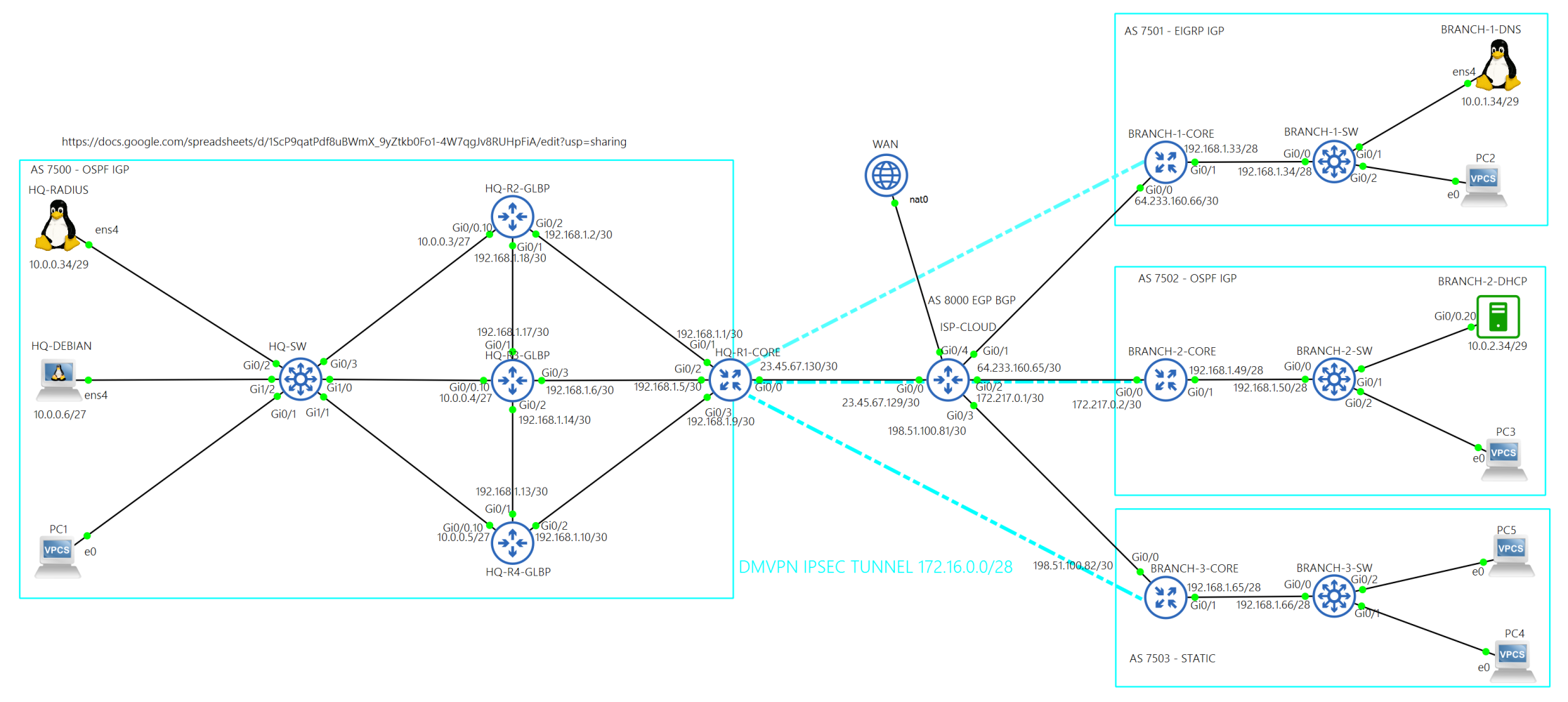
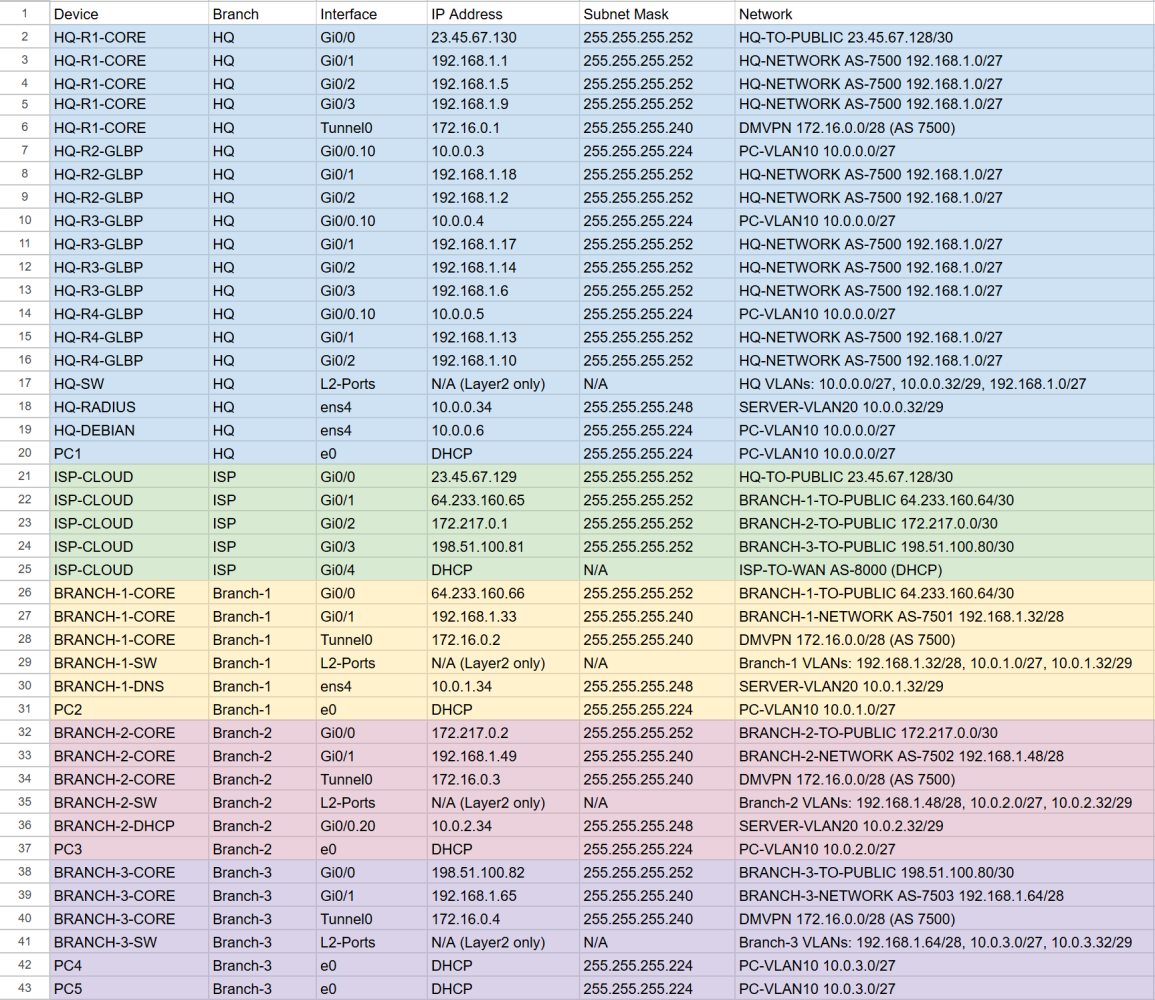
In October of 2025, I began working on a lab that has an HQ site and three Branch sites.
This is an Information Technology Lab using VMWare Workstation Pro, GNS3 server, and Cisco CML.
Technologies used in this lab
- VLANs
- Trunking (802.1Q)
- GLBP
- eBGP
- OSPF
- Named EIGRP
- Static Routing
- DHCP (Cisco IOS-XE)
- DNS
- DMVPN
- NHRP
- IPsec
- GRE
- NAT
- ACLs
- Route Redistribution
- Route Maps
- SSH
- AAA
- RADIUS Authentication
- Linux (Debian)
- FreeRADIUS 3.0
- BIND9 DNS
- VPN Encryption
Network flow
How each site stays connected
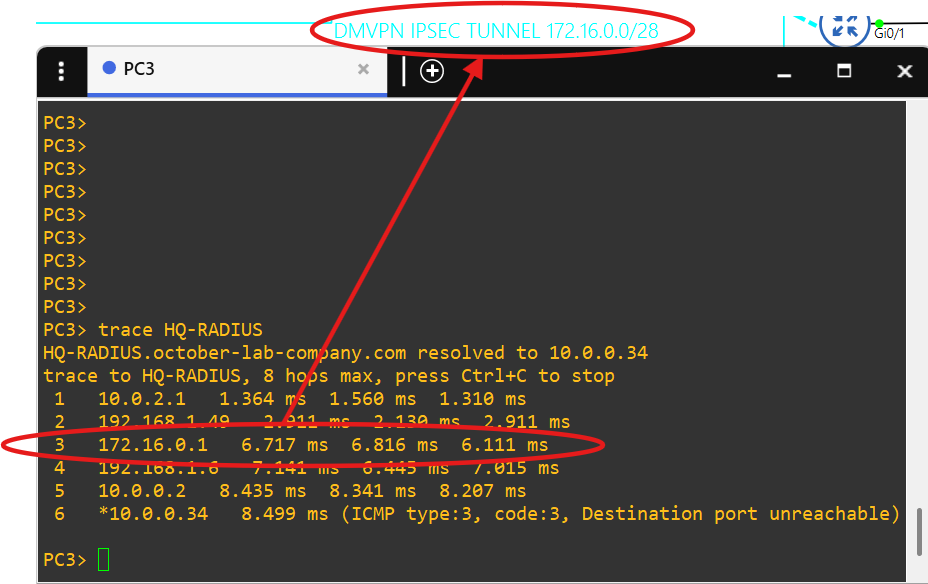
Each site has its own IGP, and each site is able to communicate with the others over an IPsec DMVPN tunnel.
The Cisco IOS image I'm using for the routers was causing DMVPN bugs.
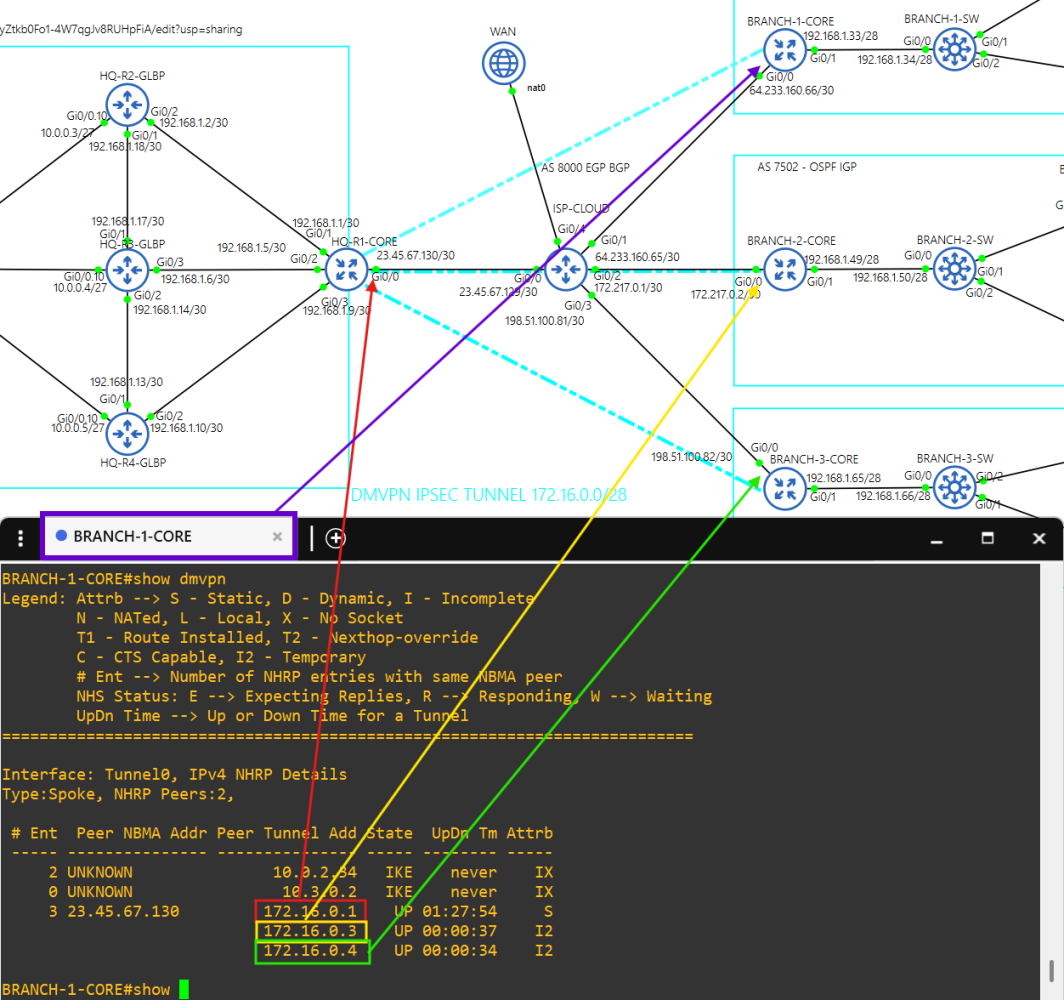
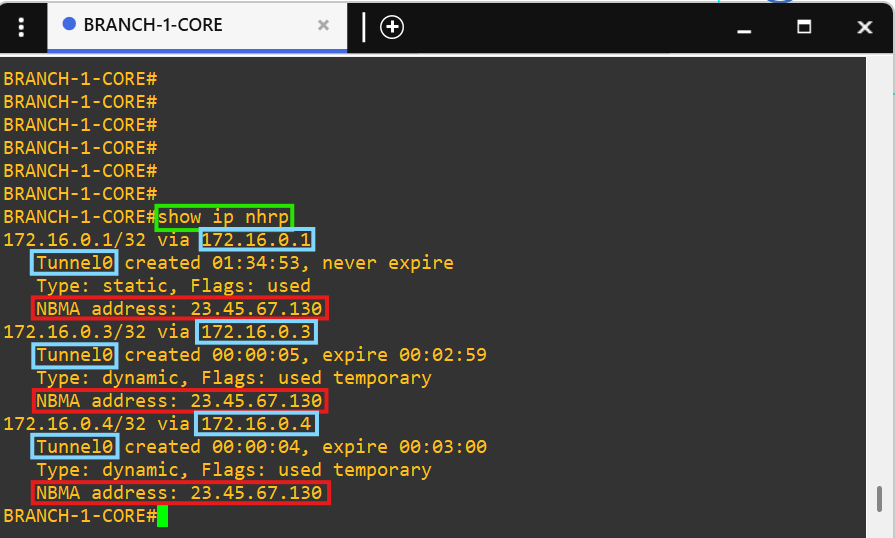
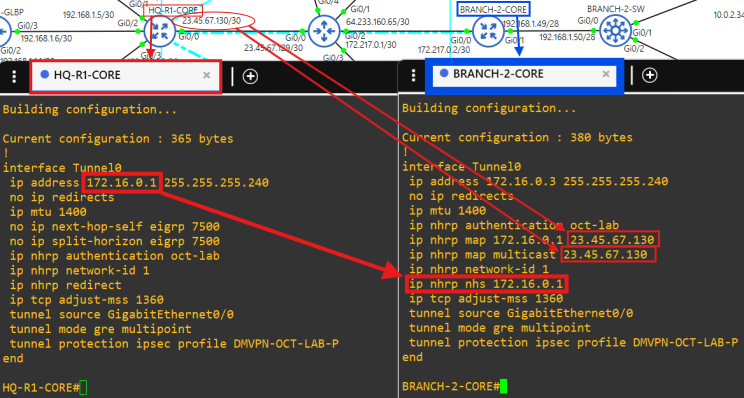
The HQ site is the hub and the Branch sites are the spokes.
Notice how there are no public addresses in this traceroute due to NAT implementation at the core routers.
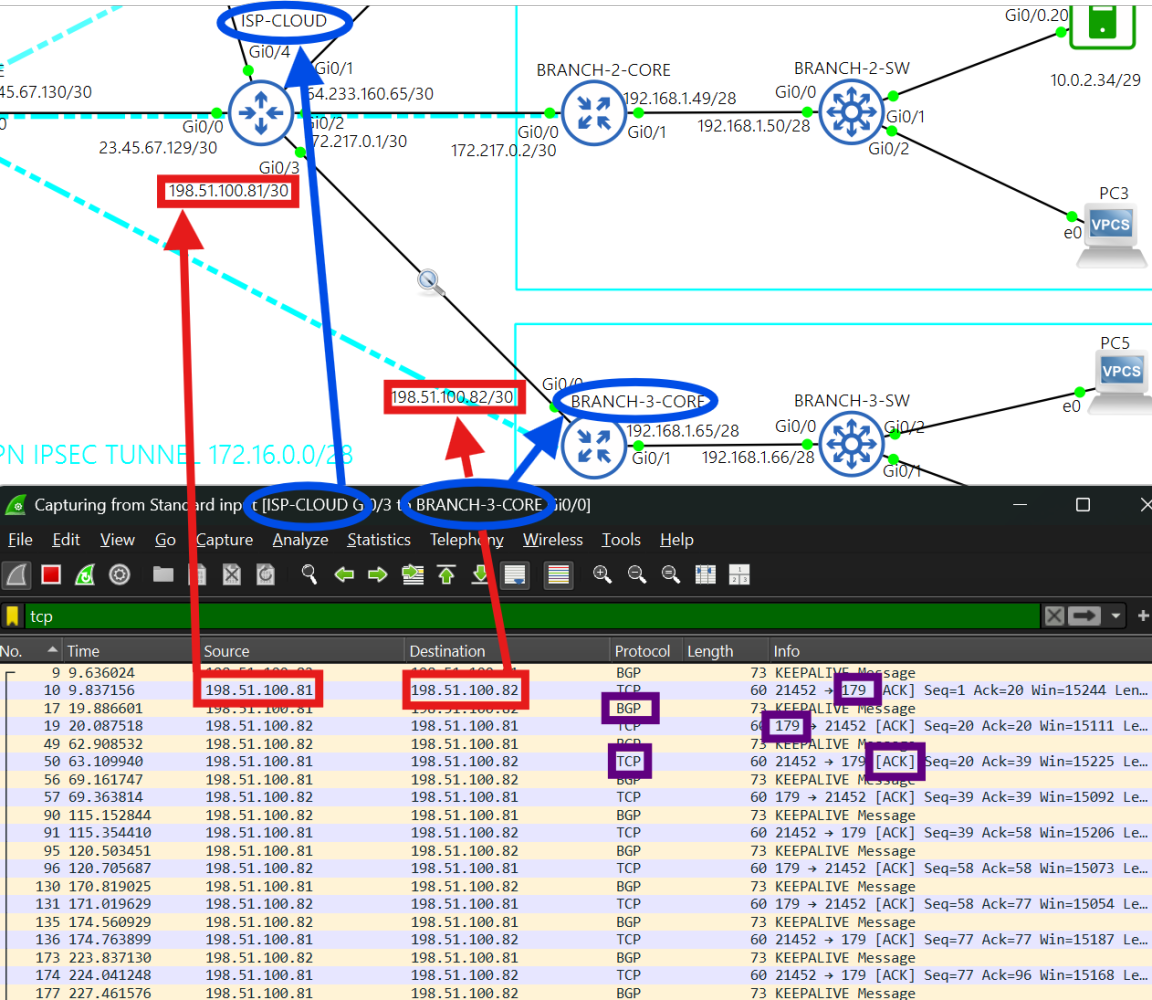
Each site is connected to the ISP-CLOUD router through eBGP.
Active BGP connection between ISP-CLOUD and BRANCH-3-CORE routers. The ISP-CLOUD router filters private addresses.
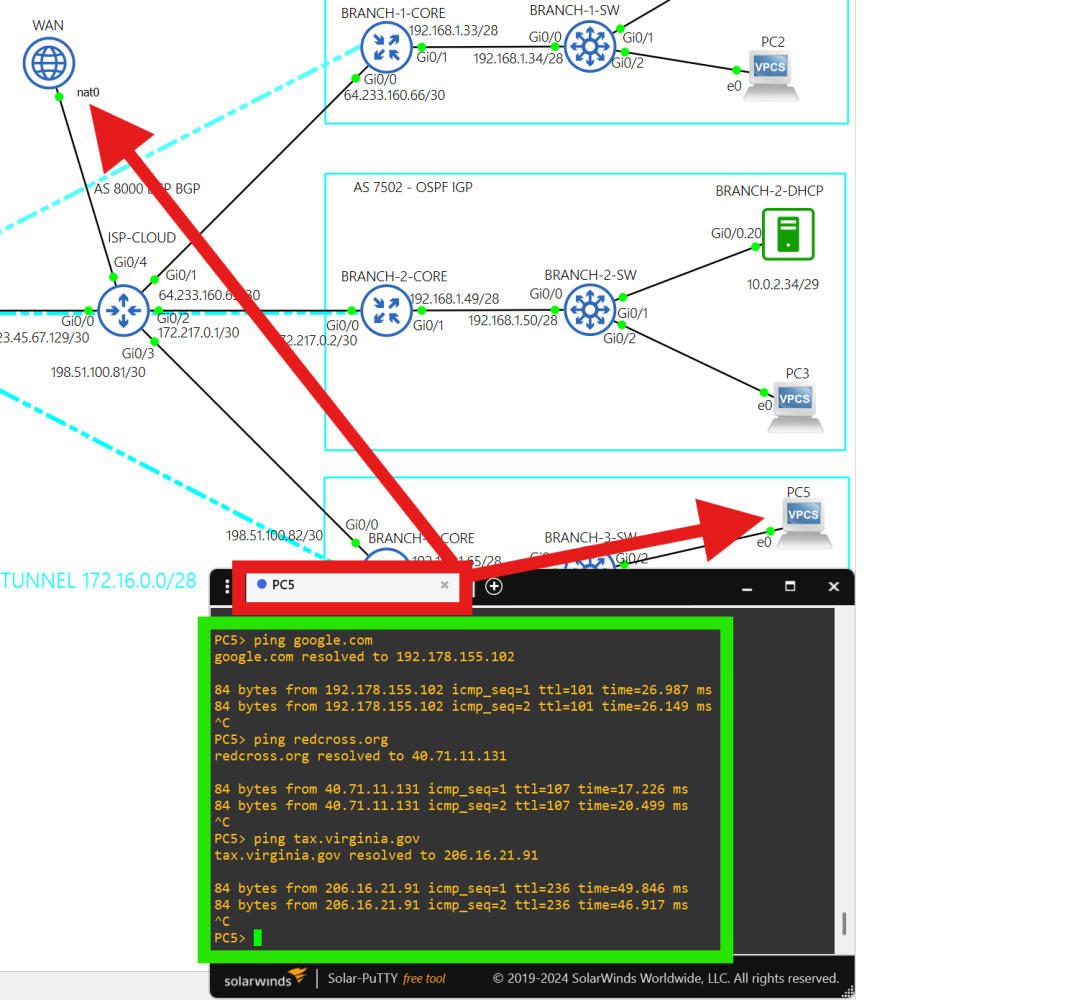
ISP-CLOUD router provides real internet connectivity to each site from its WAN connection on interface g0/4.
PC5 successfully pinging FQDNs.
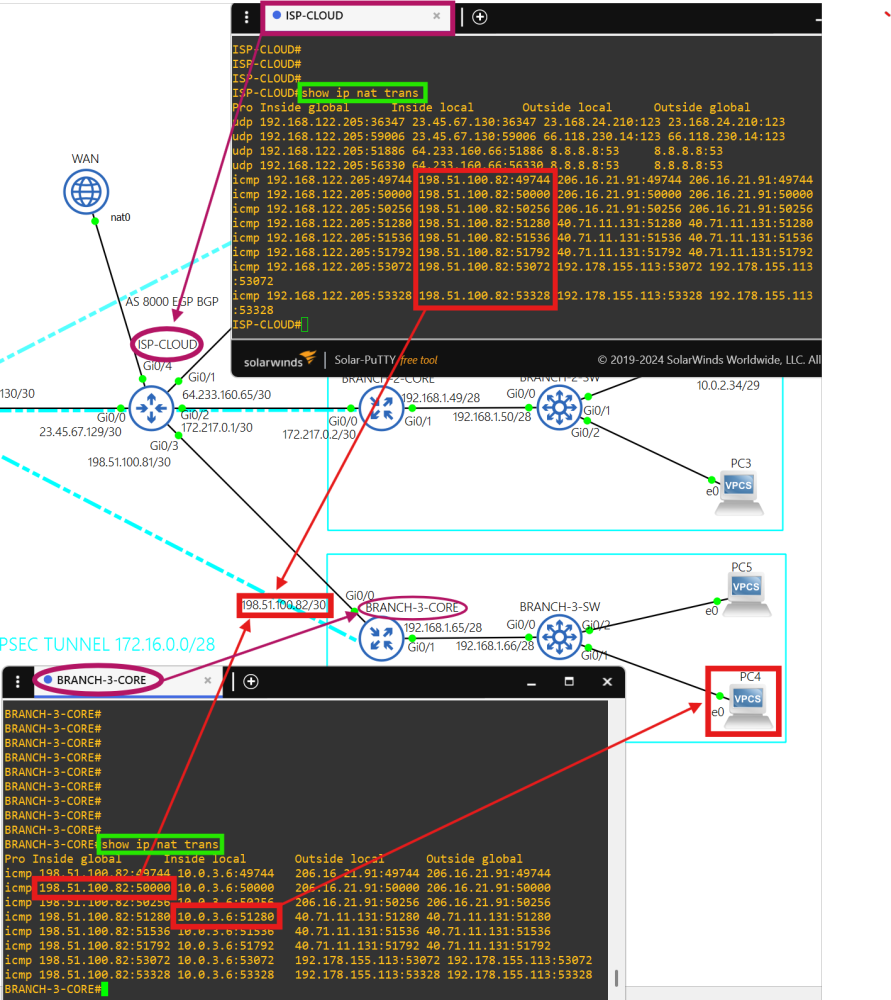
Traffic from each site going to the public internet is translated with NAT at the core routers, and then translated again at interface g0/4 on the ISP-CLOUD router.
'show ip nat translations' output.
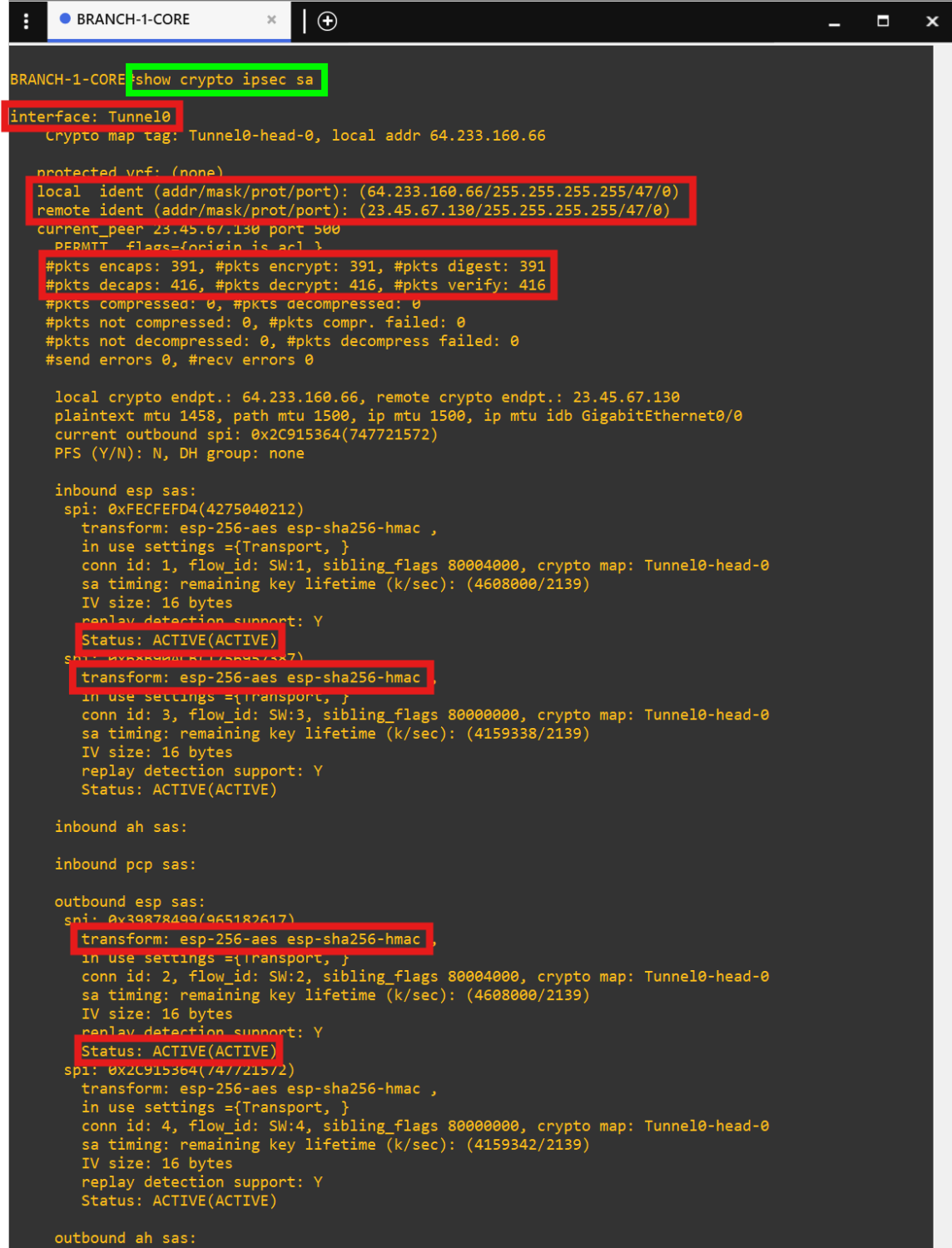
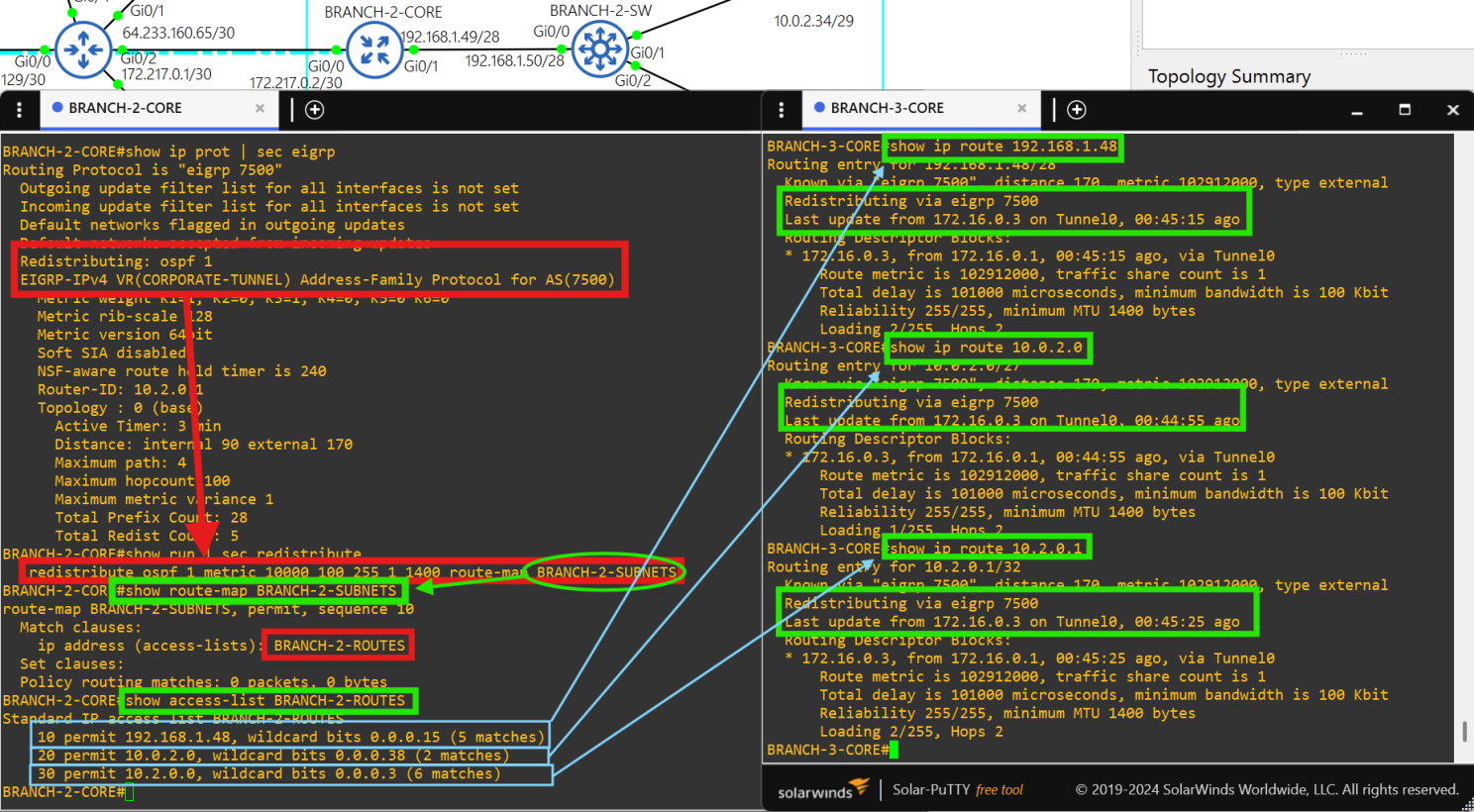
Traffic from each site going to another site is redistributed into EIGRP (name: “CORPORATE TUNNEL”, AS 7500), encapsulated in GRE, and then protected with IPsec.
Traffic received from another site is redistributed into the EIGRP DMVPN TUNNEL and then sent to the host.
Redistribution at each core router is performed with ACLs and route-maps of the site's internal network to avoid loops.
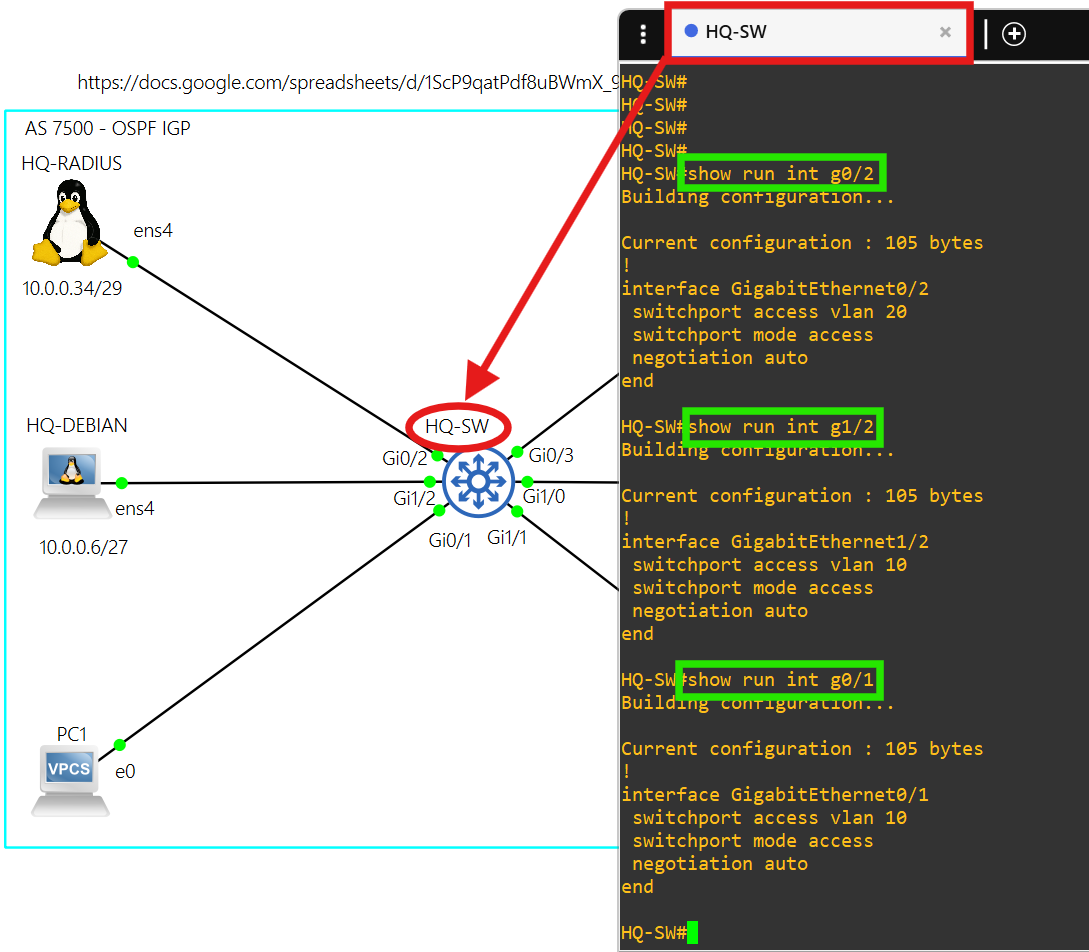
The access layer at each site is layer 2.
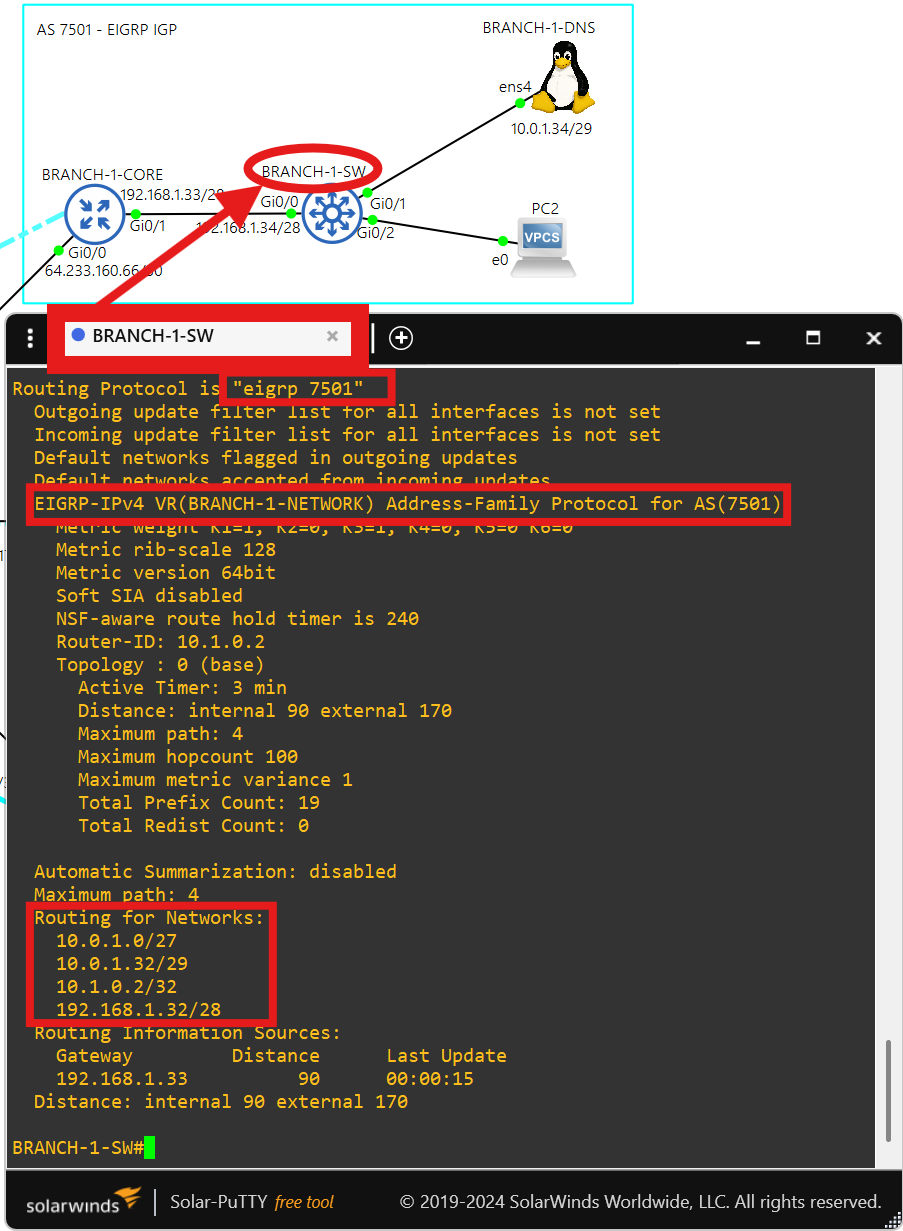
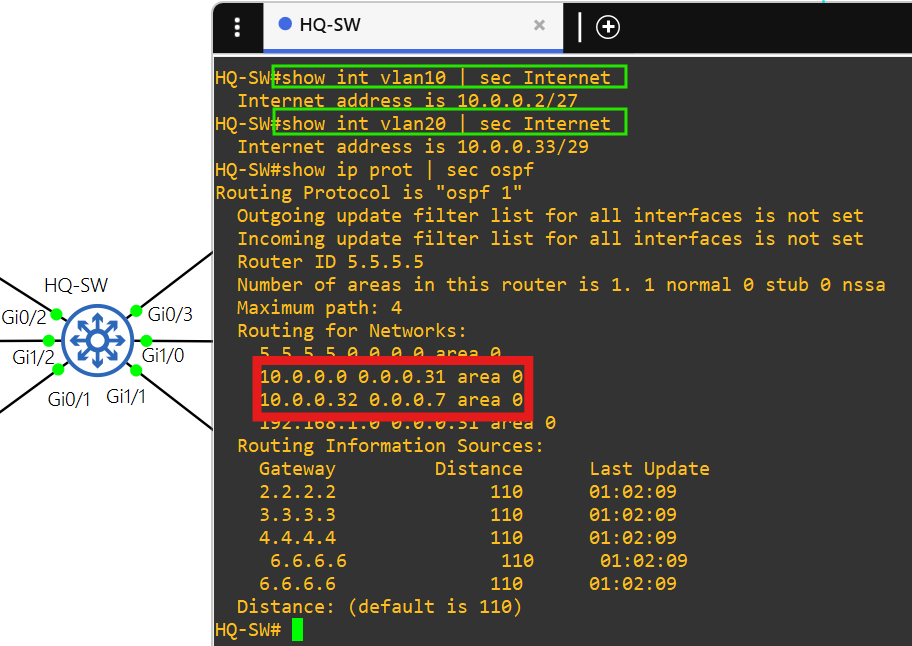
Each switch at the access layer of each site advertises it's VLAN networks into their site's IGP.
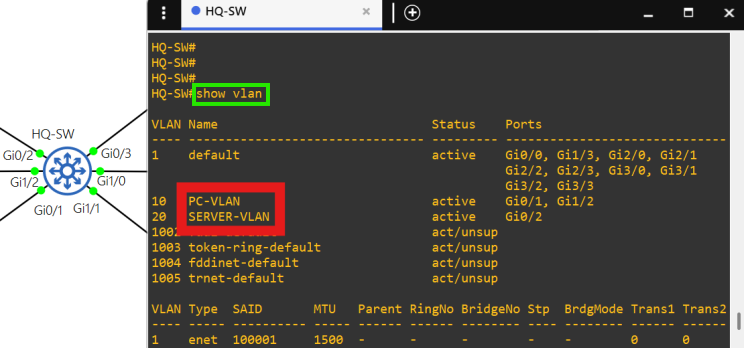
There are only 2 VLANs at each site, the PC VLAN and the SERVER VLAN.
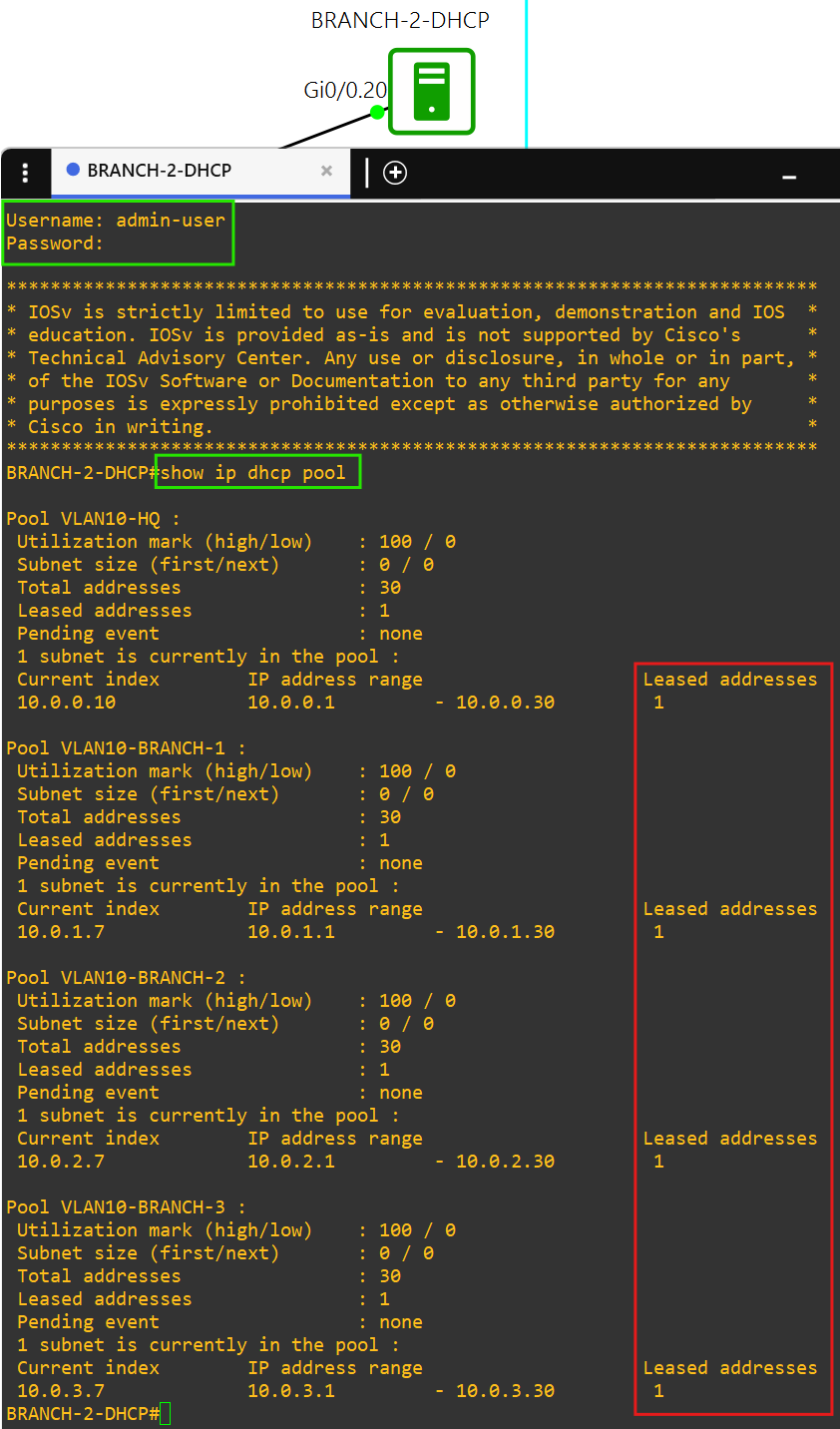
Each PC in the PC VLAN can get DHCP IPv4 addressing from BRANCH-2-DHCP in AS 7502.
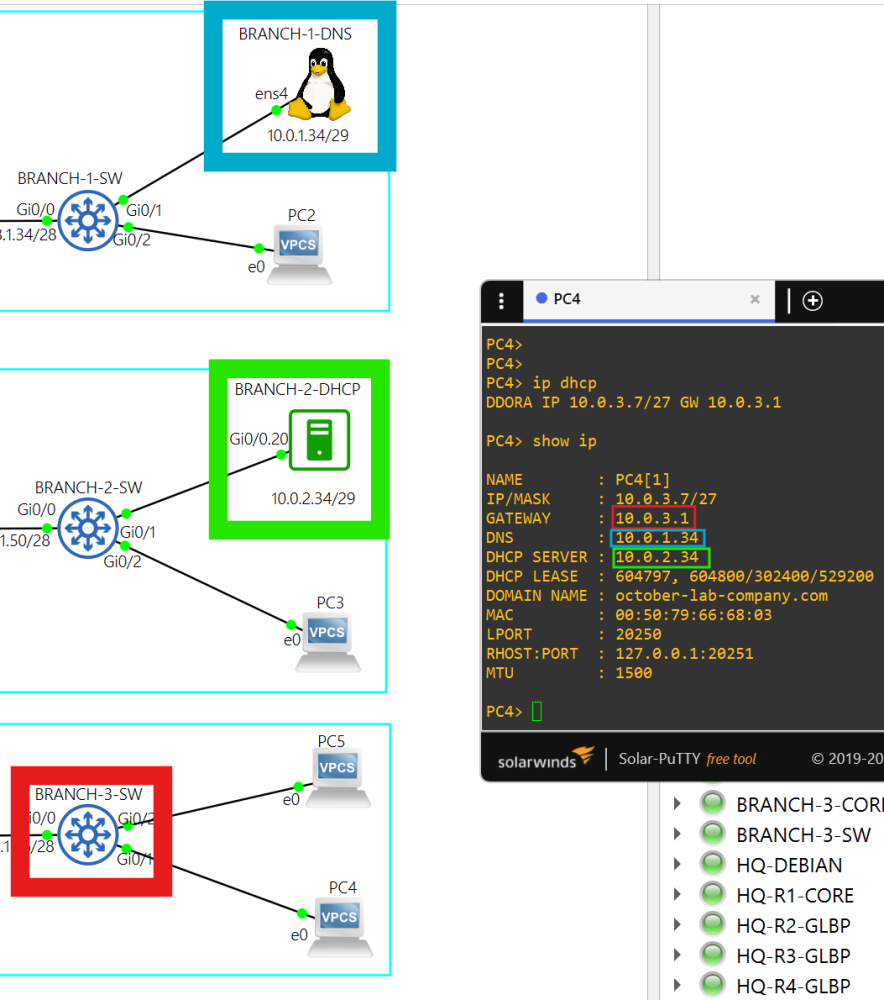
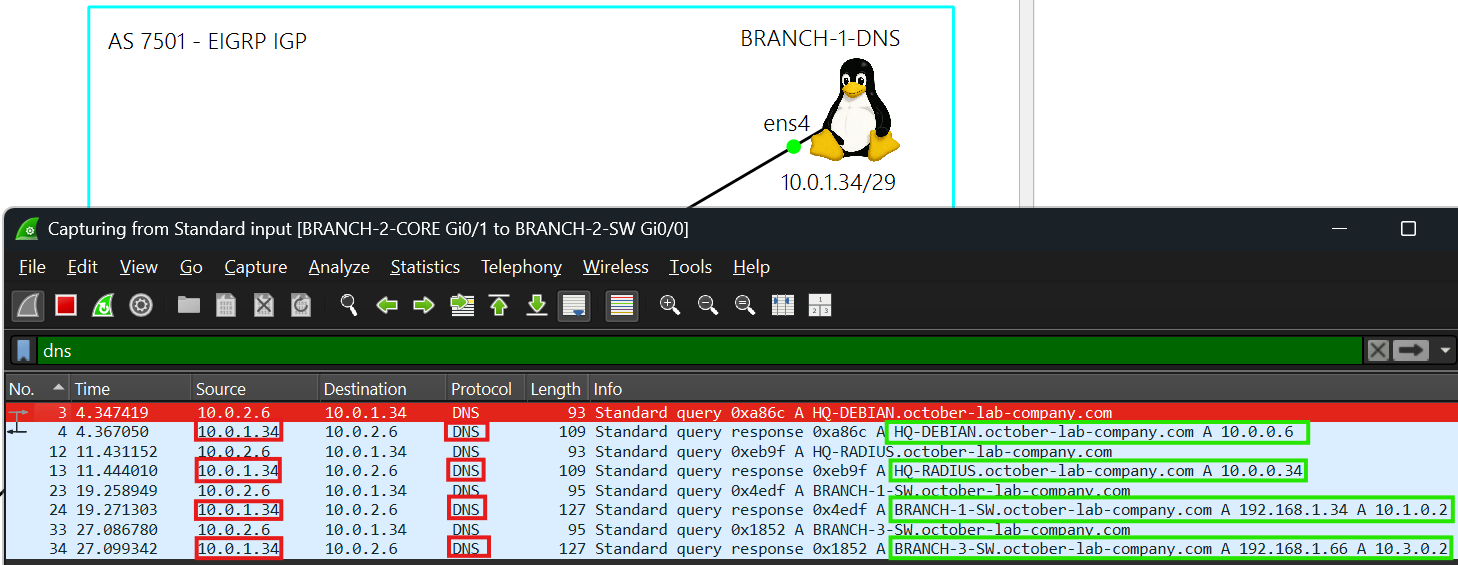
Each device in the network can resolve hostnames of Linux or network devices at any site by using BRANCH-1-DNS in AS 7501.
10.0.1.34 is the DNS server. BRANCH-1-DNS also uses public DNS servers 1.1.1.1 and 8.8.8.8.
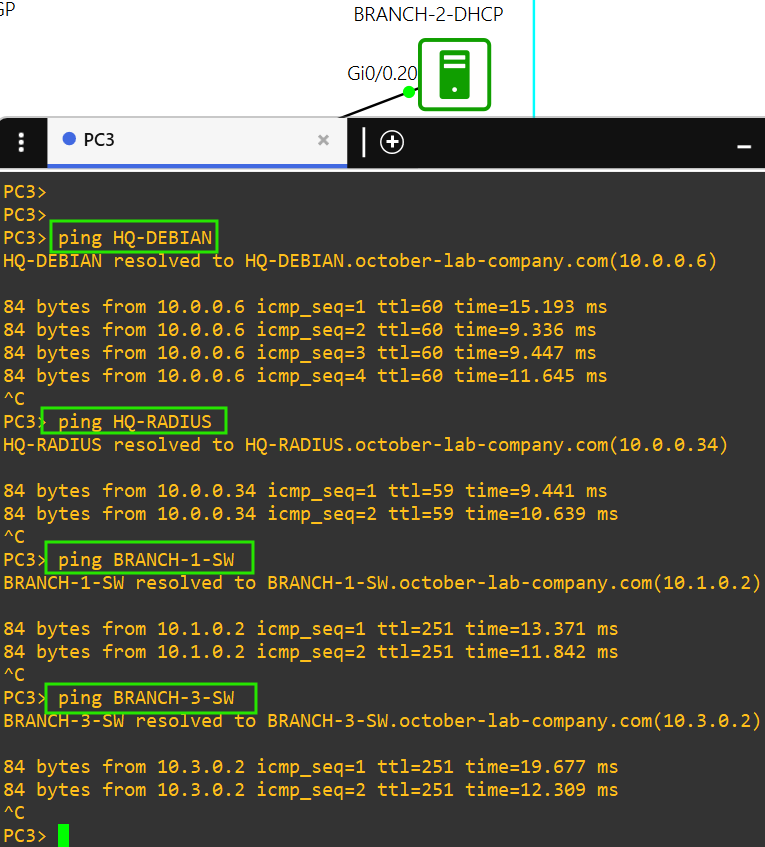
You must sign into each network device at a site using credentials stored on the RADIUS server, HQ-RADIUS, in AS 7500.
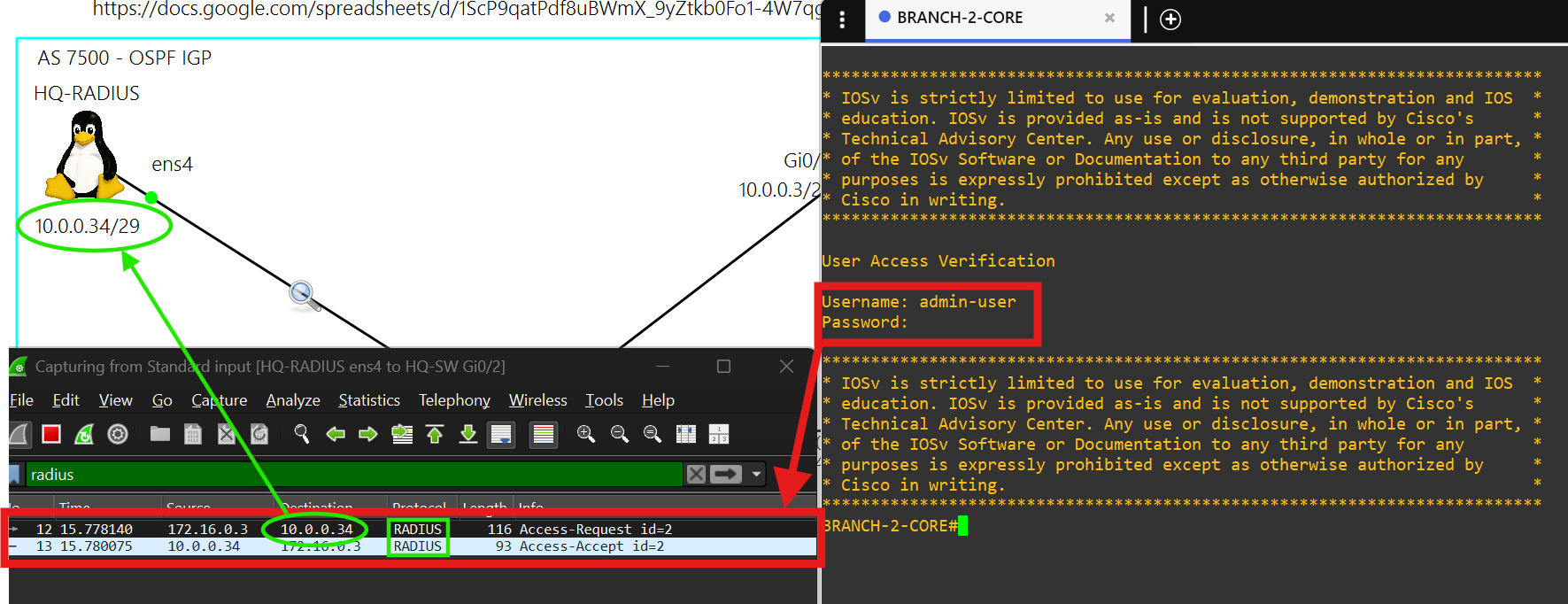
You can only SSH into a network device at a site using credentials stored in HQ-RADIUS in AS 7500.
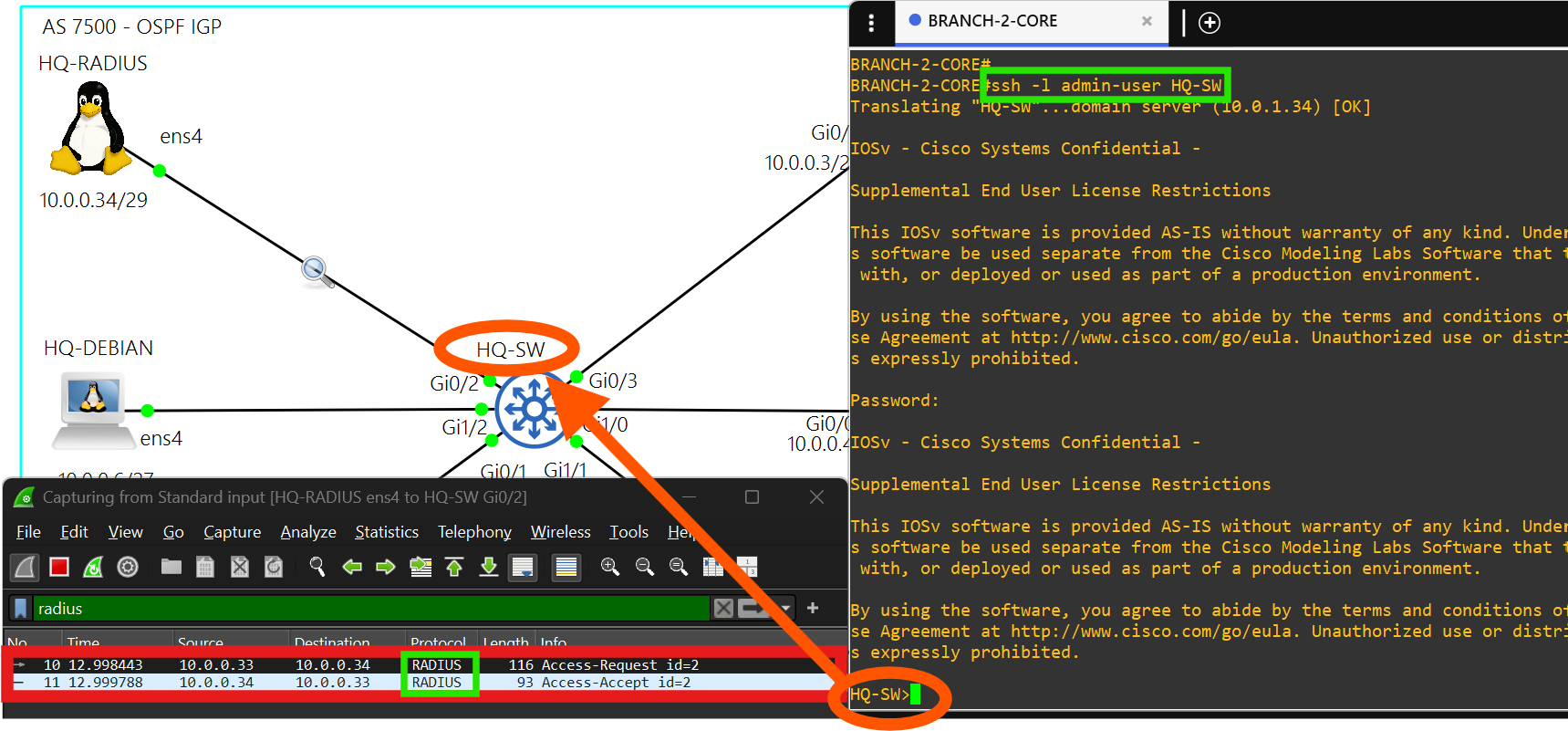
HQ - AS 7500
Hub details
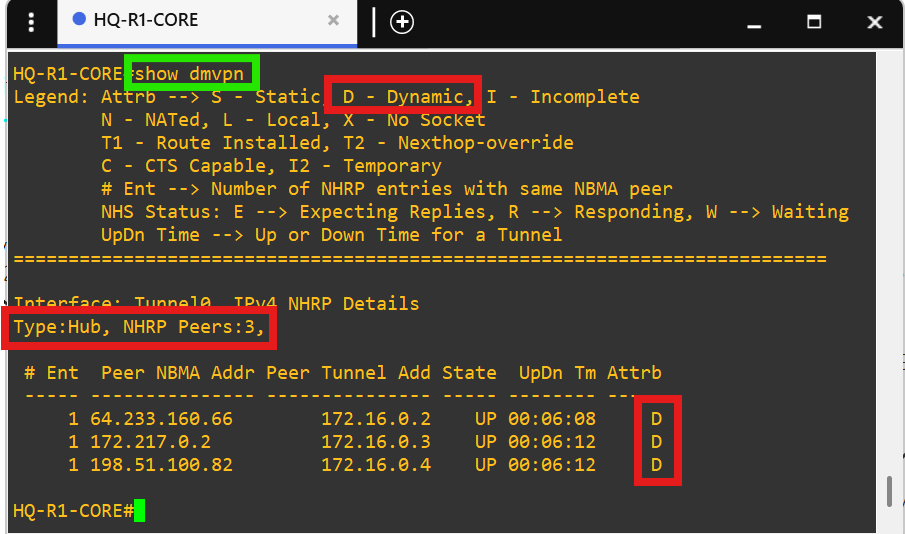
Core router HQ-R1-CORE is the hub in the DMVPN tunnel(172.16.0.1/28) between each site.
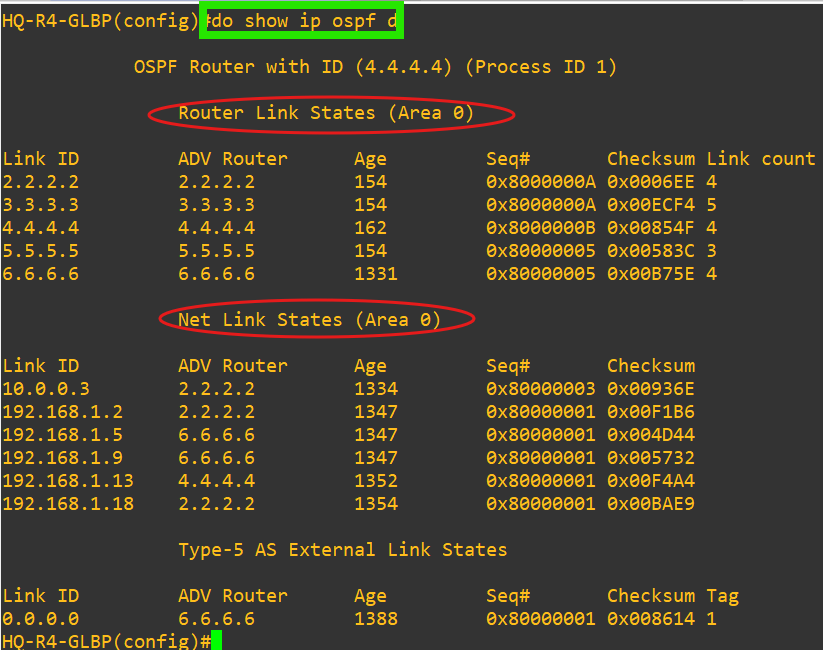
AS 7500 uses OSPF as the IGP.
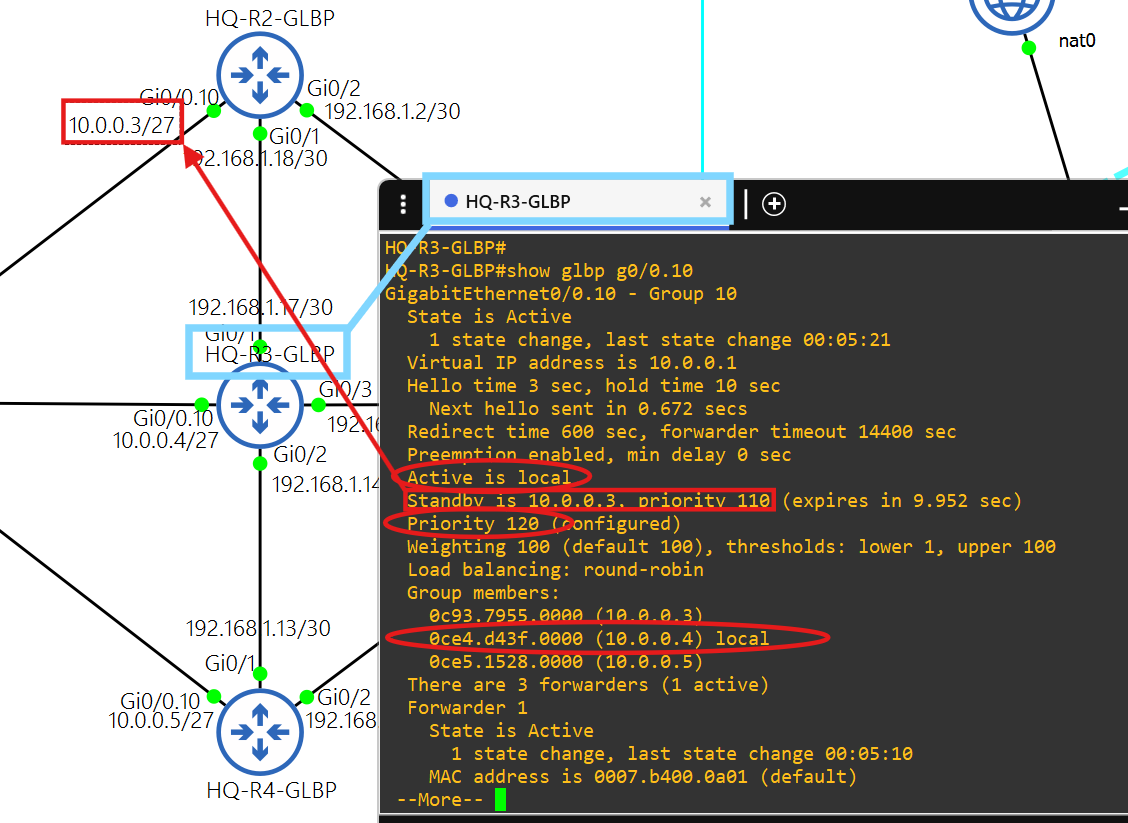
The hosts in AS 7500 use 10.0.0.1 as their default gateway, which is the virtual IP in GLBP 10.
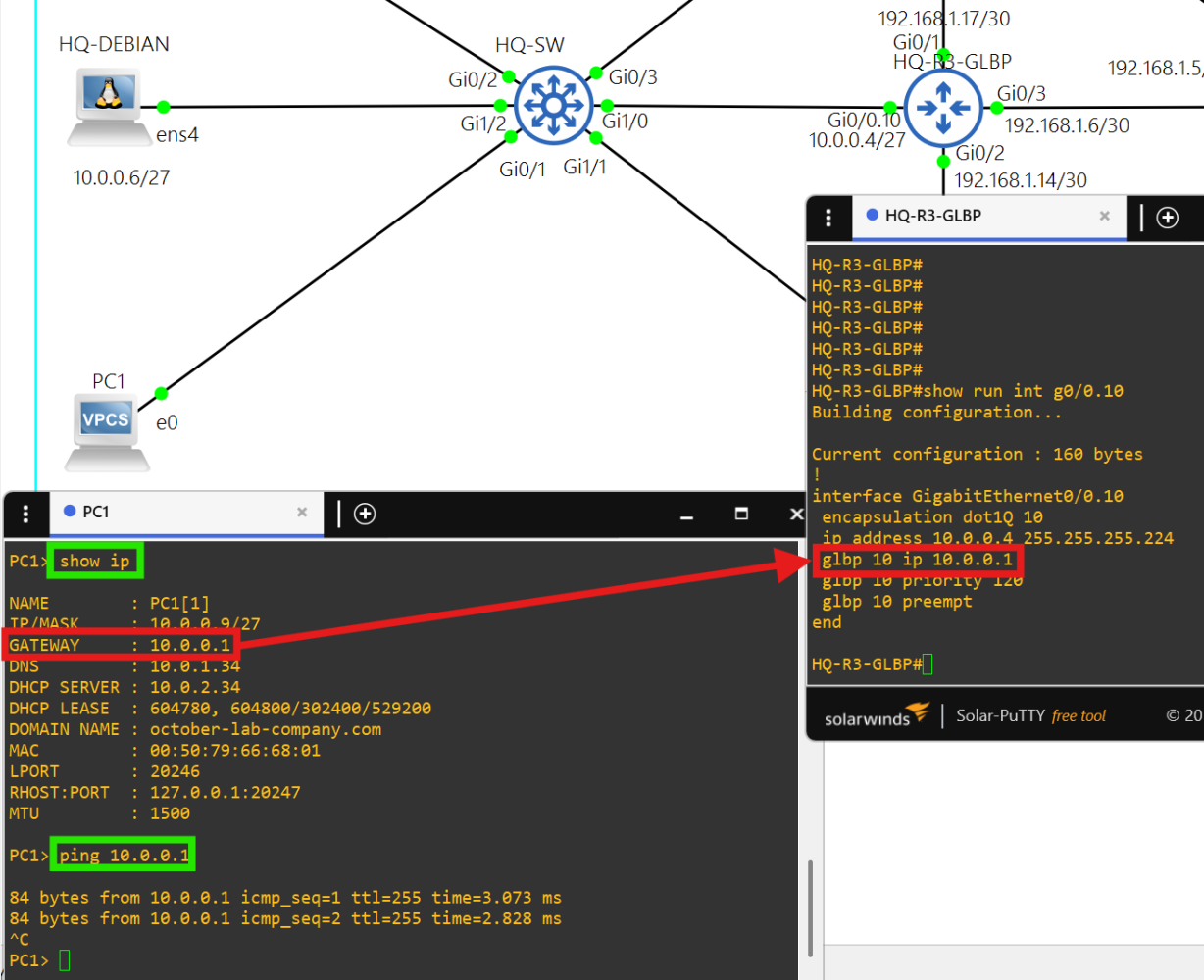
HQ-R3-GLBP is the Active Virtual Gateway and HQ-R2-GLBP is an Active Virtual Forwarder with the next highest priority.
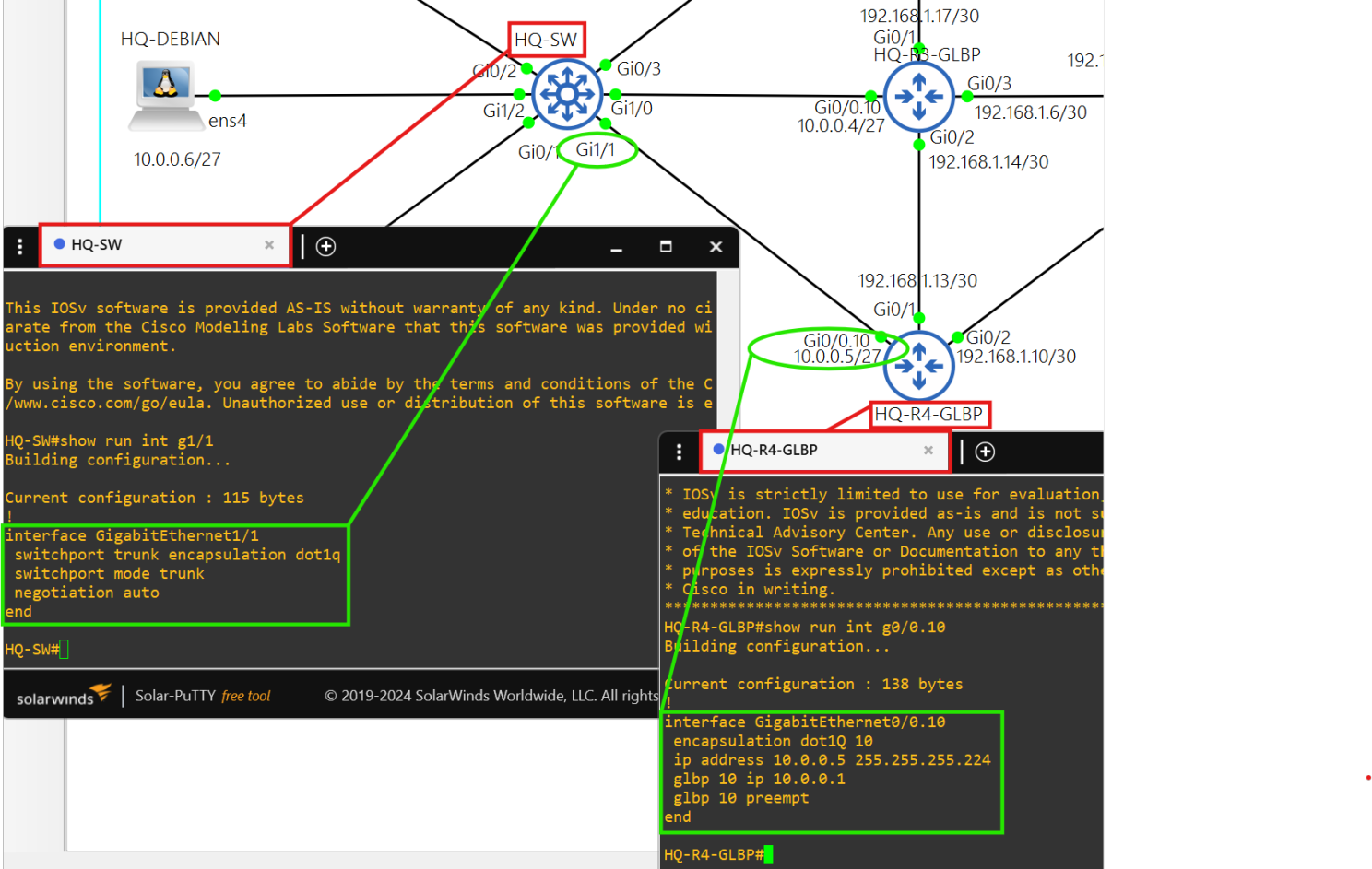
The connection between the GLBP routers and HQ-SW are trunk connections.
HQ-RADIUS (Debian Linux)
Authentication
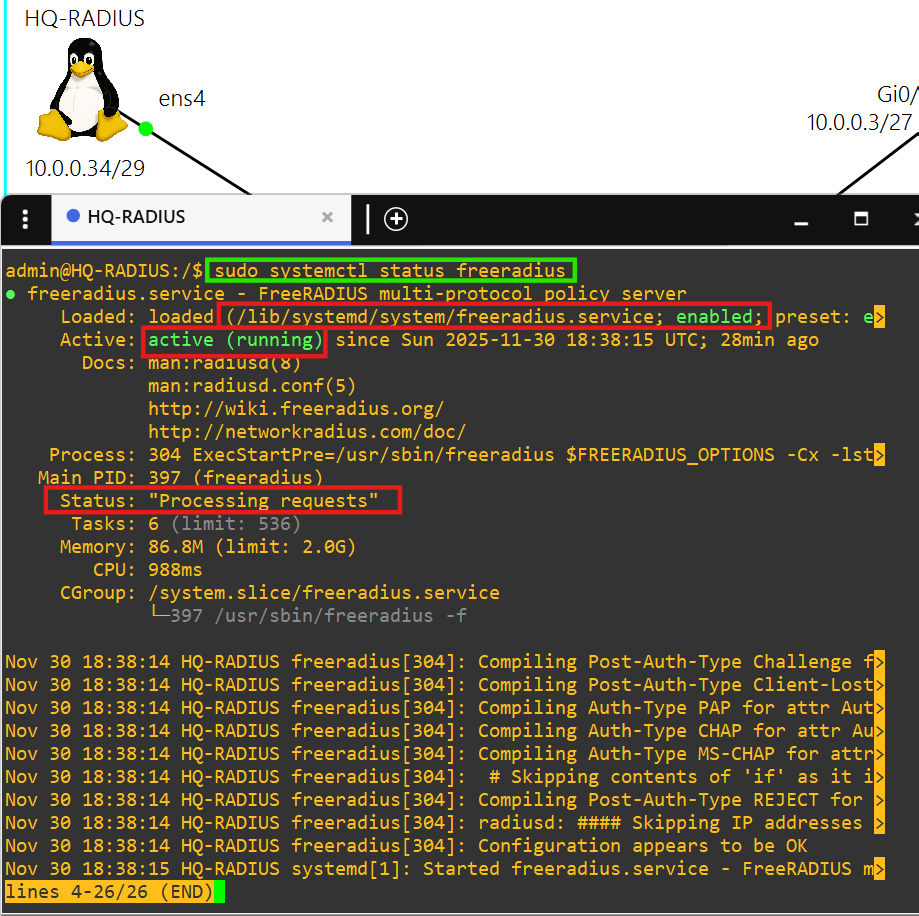
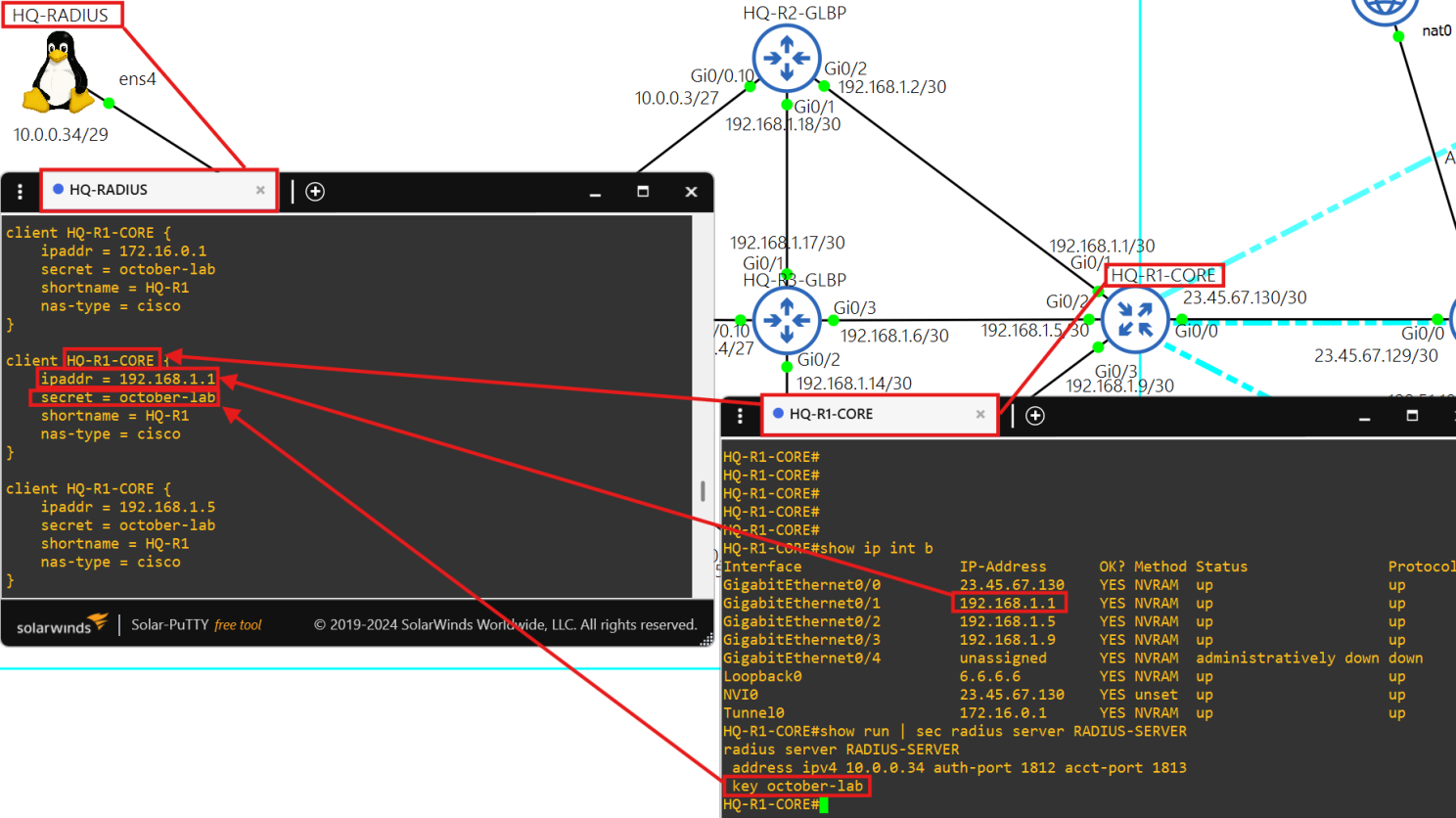
This radius server is powered by the FreeRADIUS 3.0 package.
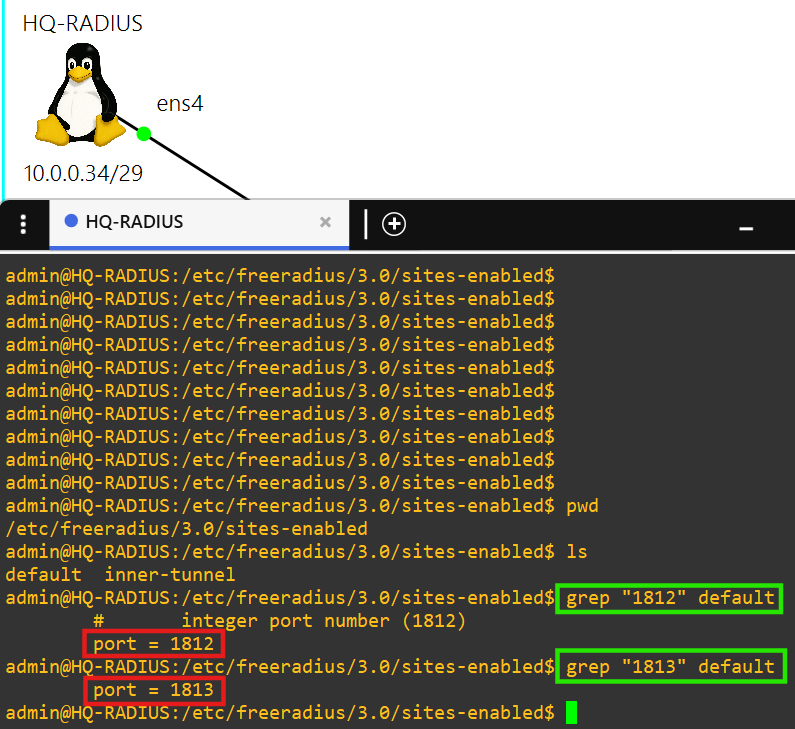
Each client is able to authenticate using the key october-lab over ports 1812 and 1813.
Branch 1 - AS 7501
Spoke and DNS
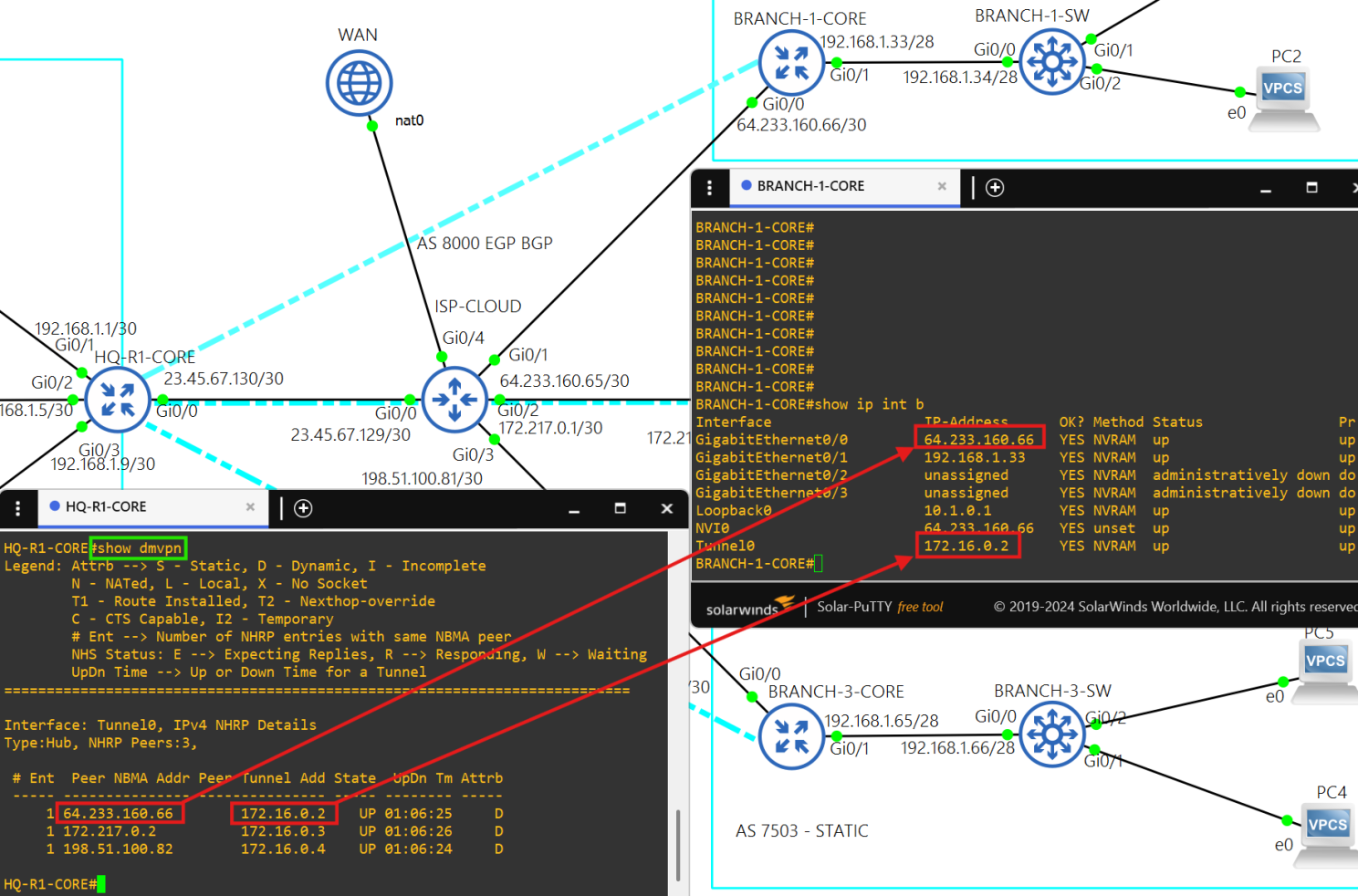
Core router BRANCH-1-CORE is a spoke(172.16.0.2/28) in the DMVPN tunnel.
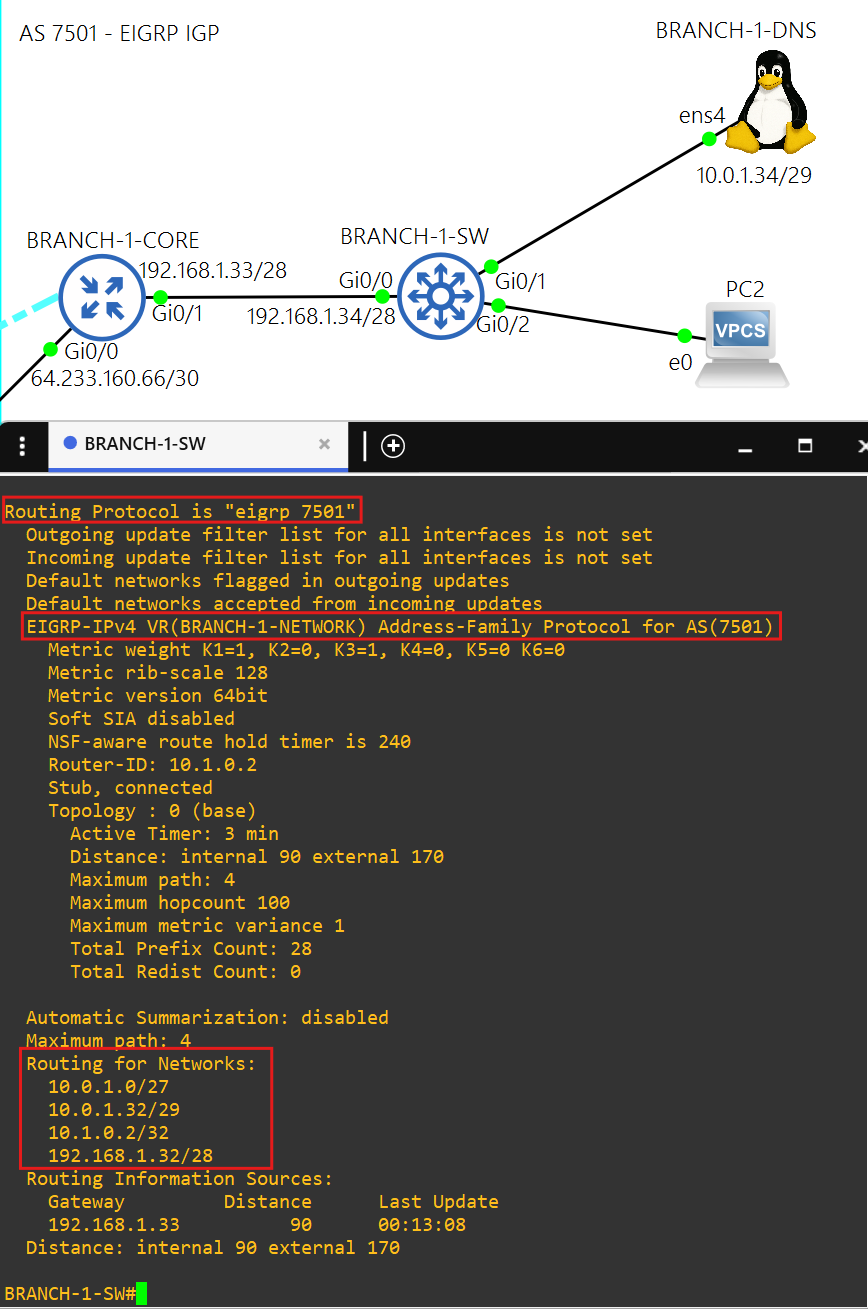
AS 7501 uses named EIGRP as the IGP.
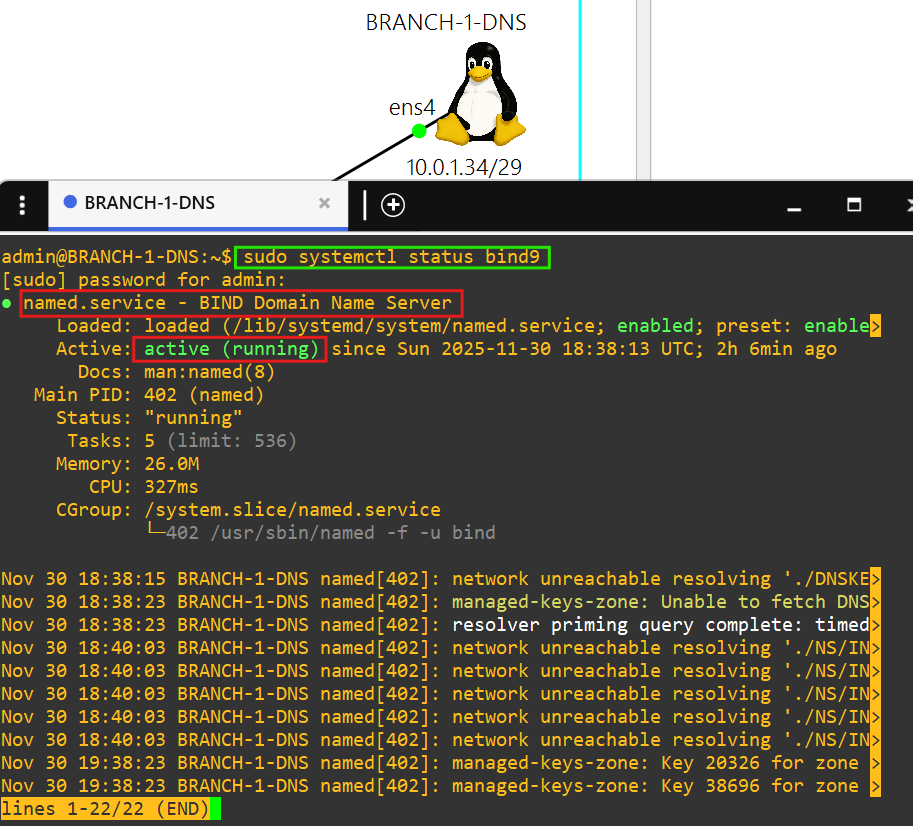
This DNS server is powered by the BIND9 package.
Branch 2 - AS 7502
Spoke and DHCP
Core router BRANCH-2-CORE is a spoke(172.16.0.3/28) in the DMVPN tunnel.
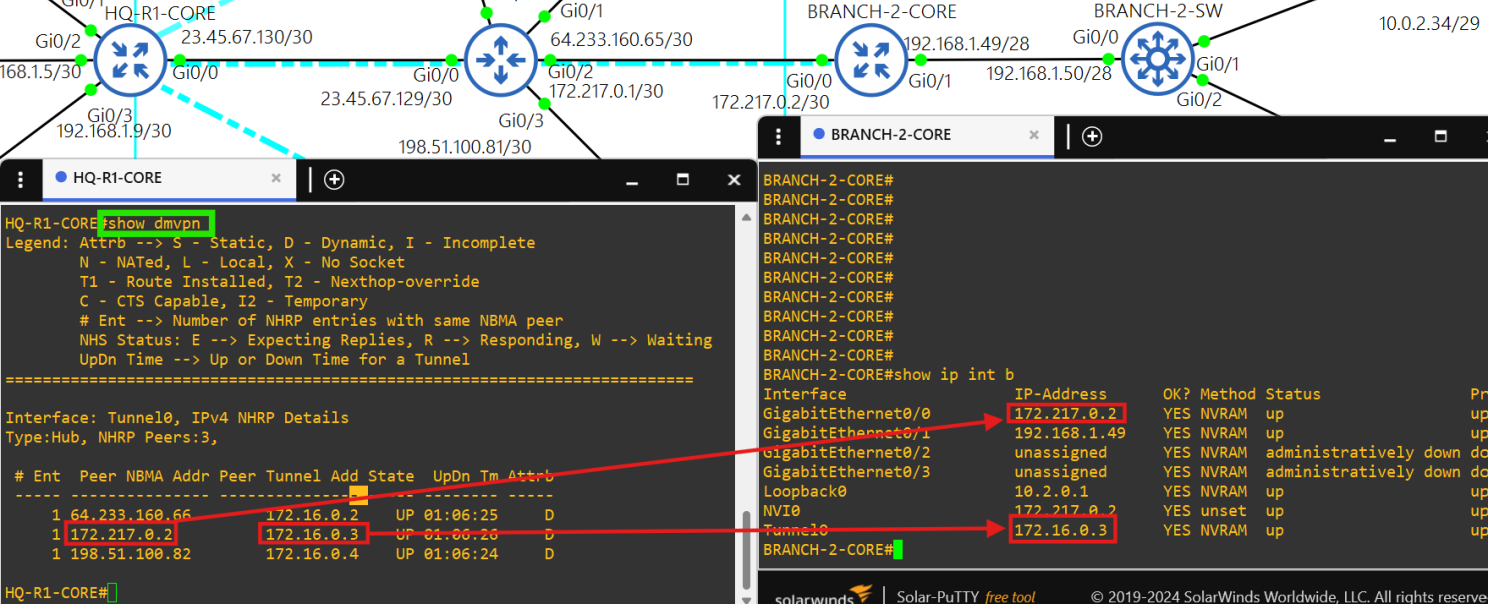
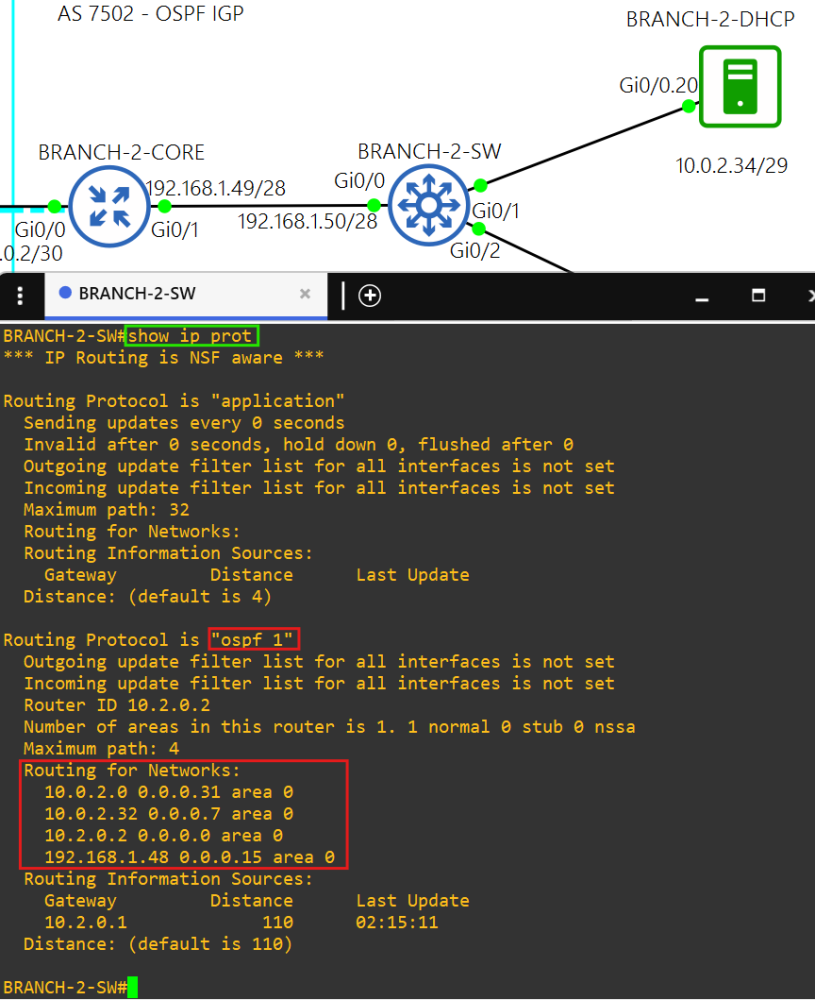
AS 7502 uses OSPF as the IGP.
This DHCP server is technically a Cisco router, so I have enabled RADIUS authentication on it.
Branch 3 - AS 7503
Spoke and routing
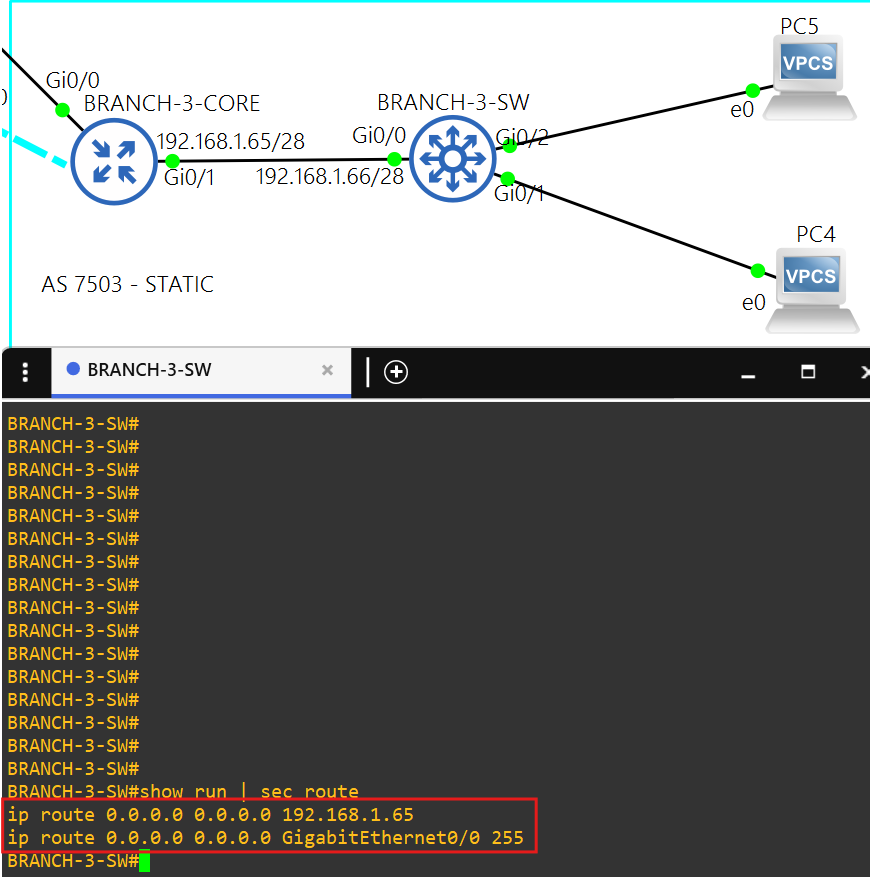
Core router BRANCH-3-CORE is a spoke(172.16.0.4/28) in the DMVPN tunnel.
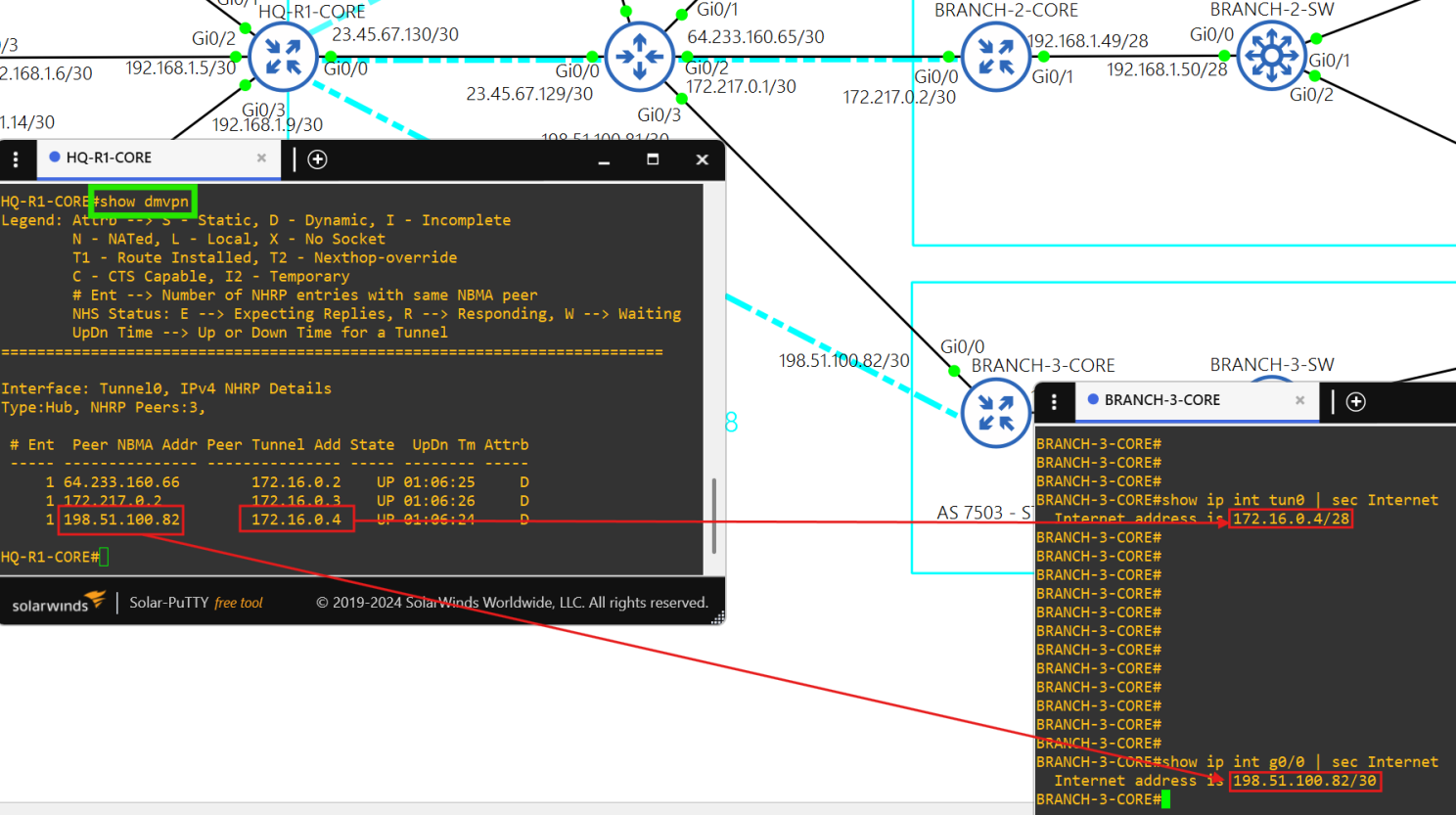
AS 7502 uses static routing inside its network.